Simulators
Kalshi state UI
Every simulator serves a live monitor at http://localhost:8080/_rystic/ui. It
reads the same control plane your tests use — nothing renders that isn't real
twin state. The Kalshi twin adds a lens: an order-book workbench for watching
a bot trade a recorded market day.
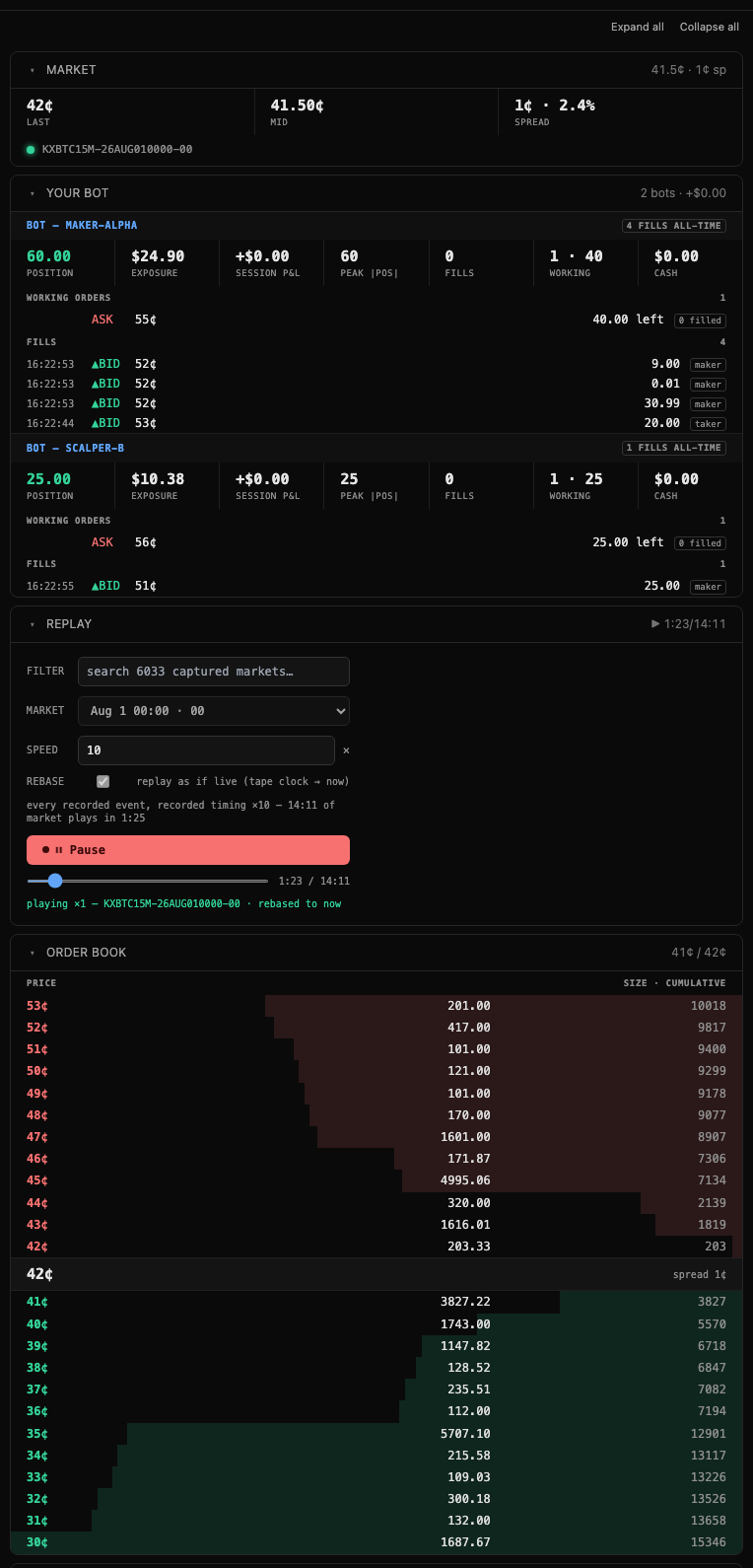
The cards
Each card collapses independently; collapsed headers keep showing live summaries (spread, P&L, tape position, counts).
| Card | What it does |
|---|---|
| Market | Last, mid, spread for the market in focus. |
| Your Bot | One panel per connected actor — position, exposure, session P&L, working orders, fills. |
| Replay | Play a real captured order-book session through the twin (below). |
| Order Book | Live depth ladder. Click any price row to prefill it into Order Entry. Your resting orders get an amber marker. |
| Simulator | Synthetic random-walk flow for when you have no tape (below). |
| Order Entry | Bid/ask, price, count, GTC/IOC/FOK. Fills, rests, and rejections report inline. |
| Trades | The tape — every execution, newest first. |
| Activity, Store, Effects | The shell's own cards: the event bus, the raw register store, and the WS egress log. |
Your Bot
Point a bot at http://localhost:8080 (REST) and /trade-api/ws/v2 (WS) — any
API key works, the twin never verifies signatures. It reads the key id as the
bot's name, so a signing bot gets its own isolated portfolio and its own panel
here without any change on its side; an X-Rystic-Actor header overrides that,
and a caller with neither is member.
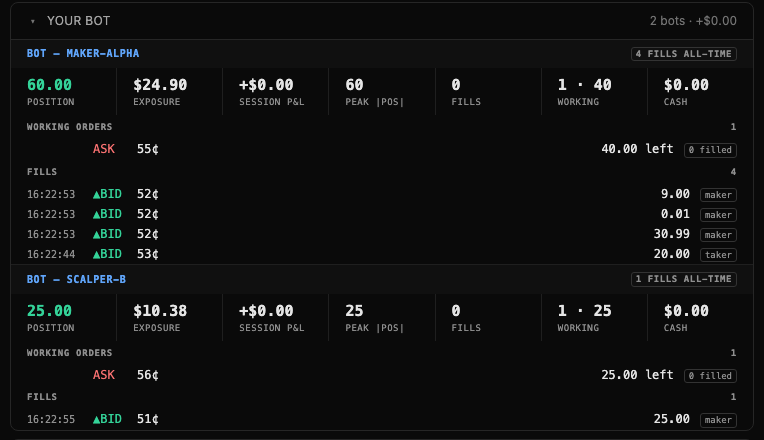
Session P&L is measured from the moment the page loaded, so a refresh rebaselines it. A bot that connects mid-tape gets funded and baselined on first sight, so it starts at P&L 0 rather than trading dark. Working orders and fills are scoped to that actor alone, and its resting orders glow amber in the book ladder.
Replay a captured session
If the twin finds a capture archive (KALSHI_CAPTURE_DIR, default
~/data/kalshi-orderbook), the Replay card lists every captured market.
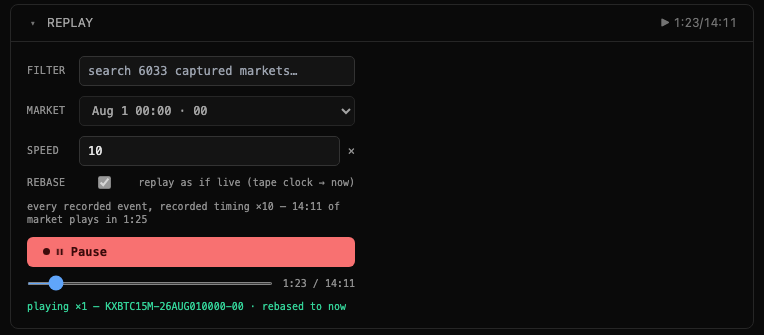
- Filter and pick a market. Tickers render human-readable, grouped by
series (
Aug 1 00:00 · 00underKXBTC15M). - Set Speed. Playback is full fidelity: every recorded event, at its recorded spacing, divided by Speed. ×1 is the measurement setting — it replays in true real time, so a bot reacting on the wall clock sees the market it would have seen live. At ×N your bot responds N× slower relative to the tape, which is fine for skimming but not for measuring.
- Leave Rebase on. It shifts the tape clock so the session starts now. Against an un-rebased old tape a bot that computes market hours from the wall clock sees an expired market and won't quote.
- Load & play. The book streams through every recorded state; the button becomes Pause, and pausing keeps the tape — Resume continues from the same spot. Playing again from the top re-rebases the tape to the new now, so a second session isn't born expired.
- Scrub. The slider jumps anywhere in the session, both directions, labeled in session time. Every position is an exact snapshot — but it seeds wholesale, so don't scrub while a bot is trading.
Replayed flow fills your resting orders: a recorded print that exceeds the
volume ahead of you in the level FIFO fills you at maker fee 0 and pushes the
same fill / user_orders / market_positions frames a live fill would.
Simulator
With no tape — or no capture archive at all — the Simulator card generates synthetic flow instead: a market maker re-quotes around a random-walking fair value while a taker crosses it, with speed, volatility, drift, and order size on live knobs. It's a way to get a moving book from nothing, not a model of the market; a recorded tape is the faithful option whenever you have one. The card disables itself while a tape is playing, since the two would fight over the book.
Activity
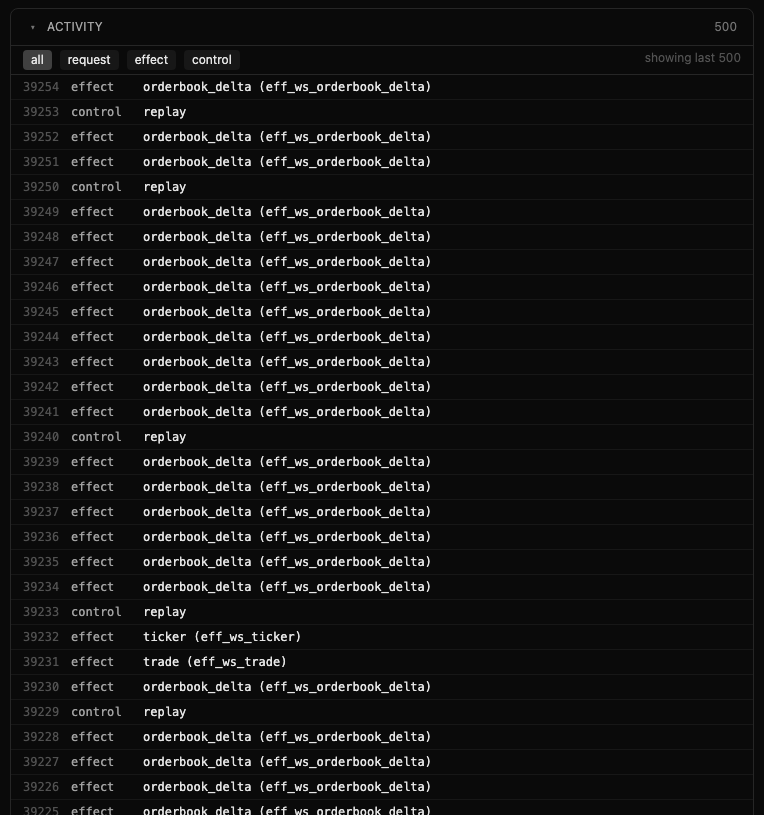
The unified event bus: your API requests, the WS effects they emit, and
control-plane events, filterable by kind. During a replay each applied frame
lands here as a control · replay event alongside the orderbook_delta /
trade / ticker effects it produced.
Headless equivalents
Everything the UI does is a control-plane call, scriptable as-is:
curl -s localhost:8080/_replay/markets                    # list captured markets
curl -X POST localhost:8080/_replay/start -d '{"market":"KXBTC15M-26AUG010000-00","speed":1,"rebase":true}'
curl -X POST localhost:8080/_replay/pause
curl -X POST localhost:8080/_replay/play  -d '{"speed":10}'
curl -X POST localhost:8080/_replay/seek  -d '{"position":80000}'
curl -s localhost:8080/_replay/status
curl -s 'localhost:8080/_rystic/egress?tail=100'          # recent WS frames